Instructions for drone sightings in the 112 Suomi app
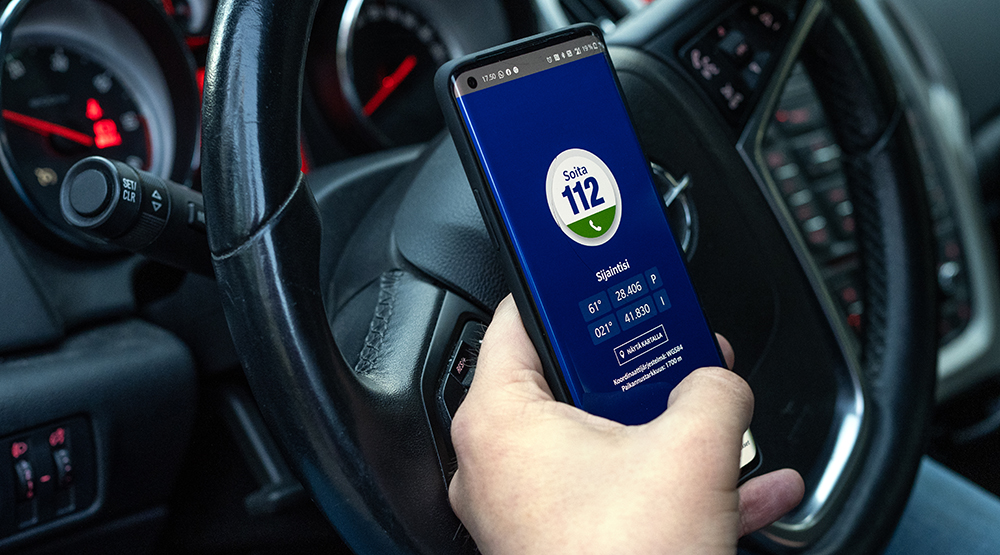
You can now find instructions on what to do in the event of an air hazard in the 112 Suomi app. Emergency warnings will also be transmitted to the app based on the phone’s location data.
The Ministry of the Interior has, together with security authorities, drafted instructions for drone sightings. These instructions have now been added to the Emergency Response Centre Agency’s 112 Suomi app. The instructions will tell you what to do if
- you receive an emergency warning regarding drones;
- you find a crashed drone; or
- you detect a drone in the air.
It is important for citizens to be able to find instructions for various security situations effortlessly. The purpose of the 112 Suomi app is to serve as a one-stop-shop for safety services and instructions to the public.
“The authorities' instructions for drone sightings can now be found on mobile devices, along with other important security services. We recommend that everyone download the 112 Suomi app on their phone and familiarise themselves with its contents," says Senior Officer for Rescue Services Tuomas Pylkkänen at the Ministry of the Interior.
Emergency warnings at your fingertips
If necessary, an emergency warning will be issued for an air hazard. According to Director of Preparedness at the Emergency Response Centre Agency Marko Nieminen, the 112 Suomi app is one of the official emergency warning channels, and it allows members of the public to receive notifications directly to their mobile phone based on their location.
Although Finland currently has a multi-channel warning system in place, the systems need to be continuously improved in the current security environment and in step with technological developments. The SIREN project, set up by the Ministry of the Interior in March, aims to create a separate feature in the 112 Suomi app for communicating about air hazards during this and next year. The project is being implemented with EU funding.
“Over the years, the 112 Suomi app has grown into a toolbox for security services. It makes sense to utilise an existing app with more than two million users for communication needs related to air hazards,” Marko Nieminen says.
The 112 Suomi mobile application is recommended by Finnish security authorities. Your privacy is secured. You can find the drone instructions under Services – Instructions in the app. You can download the free-of-charge 112 Suomi app from your smartphone’s app store (App Gallery, Google Play, App Store). Please make sure to keep the app updated.
Important information about the 112 Suomi application
- Download: Download the app on your phone free of charge from the App Gallery, Google Play or the App Store.
- Install: Enter your phone number and select the language (Finnish, Swedish or English).
- Permissions: Give the app all the permissions that it asks for when you launch it and let the app track your location – so you have all the features at your fingertips.
- Settings: In settings, you can change the language, rotate the screen and make selections related to notifications about warnings.
- Explore: Opening the app will not automatically trigger an emergency call. Feel free to browse the range of services available in the app.
- Regular use: Open the app regularly and familiarise yourself with its services to allow for notifications of emergency warnings, for example. Apps go offline on phones if they are never used.
Authorities’ instructions for when you see a drone


